

mix
Executing an upgrade from Drupal 7 to Drupal 8
drush migrate-upgrade --legacy-db-url=mysql://user:password@server/db --legacy-root=http://mydrupal6site.com --configure-only
drush migrate-status
drush migrate-import {migration name}
or
drush migrate-import --all will run the whole list
The most useful drush commands
See main information and status of the site
drush status
Clear the cache
drush cc all
Clear the cache, even if Drupal is broken
drush sql-query "DELETE FROM cache"
sql-query executes sql queries in the database where Drupal is installed.
Drush commands
- drush status
Return information about your system.
- drush status --show-passwords
Return same info and show database password.
- drush cc
Clear a specific cache, or all drupal caches.
- drush archive-dump ( or drush ard )
Backup your code, files, and database into a single file.
- drush dl
Download Drupal core from drupal.org (Drupal core, modules, themes or profiles) and other sources.
- drush dl release name --destination="path/"
Download modules and place it into given directory.
How apply a patch?
First, you need to save the patch file into the directory of affected module.
Second, you need to move the command line prompt to this directory.
And then you need to use this command:
patch -p1 < advanced_help-invalid_argument_in_modules_alter-1086990-14.patch
If you want to test the patch before real apply, you can use the following --dry-run command:
patch -p1 --dry-run < advanced_help-invalid_argument_in_modules_alter-1086990-14.patch
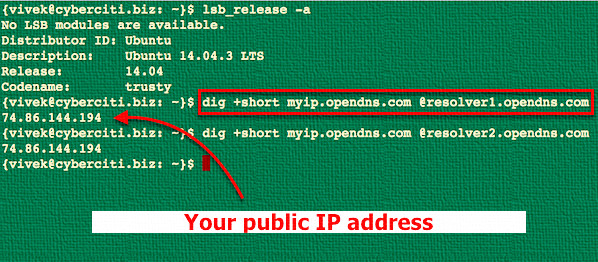
How to know your public ip?
Just type this line on the terminal and hit enter:
dig +short myip.opendns.com @resolver1.opendns.com
Pages
- « first
- ‹ previous
- 1
- 2
- 3